The lead booker pays and invites. Each guest gets their own ticket and their own checkout for courses, allergies and access needs. You get a seating plan and a venue pack that stay current as bookings change.
Guests check out without an account•Allergies captured per guest, not per booking•Automated seating with group rules•Live venue pack
The flow
Who does what, and when
The booker's job ends at the invitation. Everything after that is collected from the person who actually knows the answer. Each step below is a working screen you can try.
Purchaser guest management
The booker adds the guests, not you
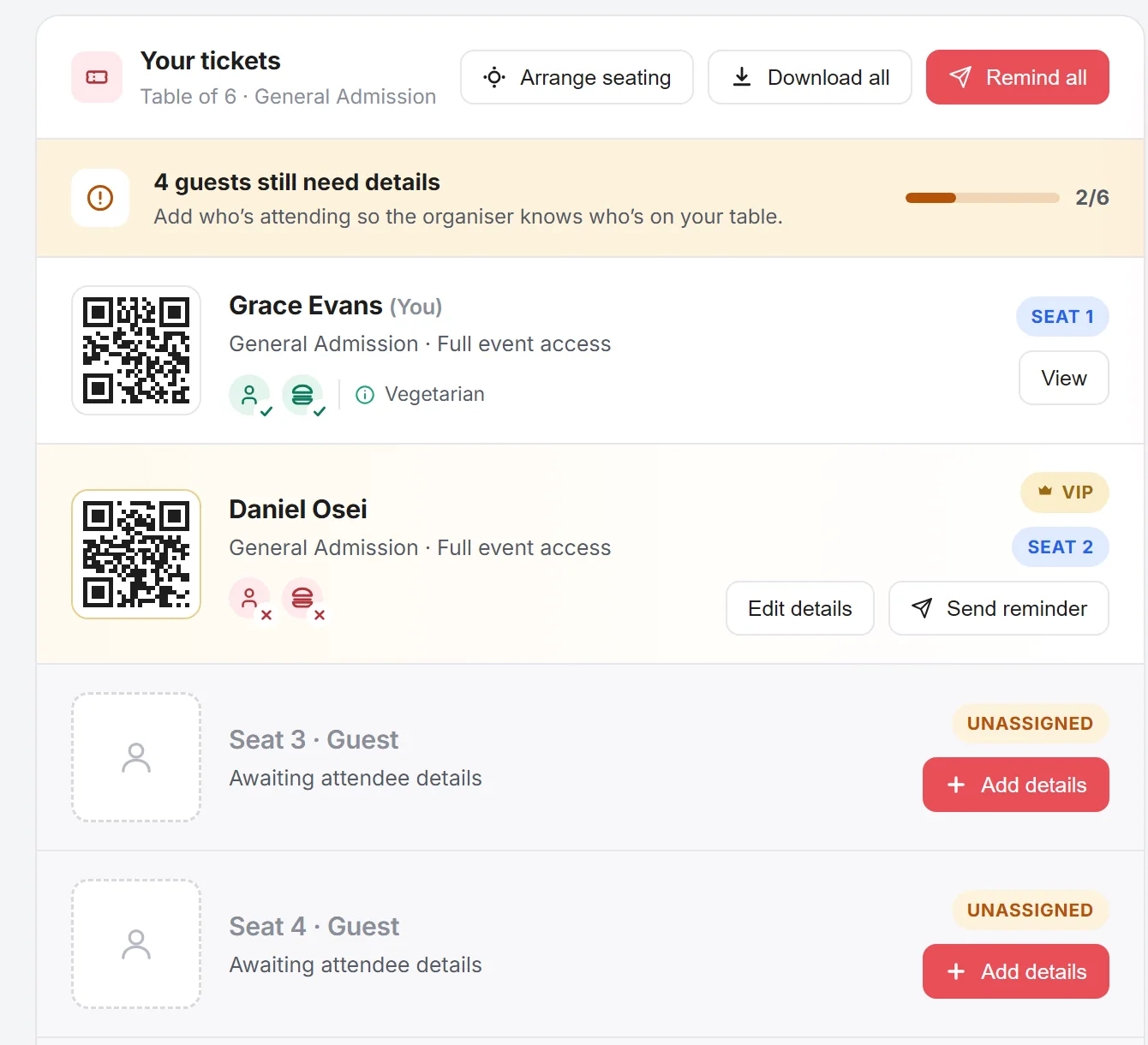
The moment they have paid, the table booker gets a page with a seat for every ticket they bought. They fill in who is coming, what each person eats and anything the room needs to know. Nobody on your team chases a single name.
Six seats, two filled. Every unnamed seat is a prompt, with a progress meter and a reminder button that does the chasing for you.
Edit guest details
Seat 2 VIP
Daniel OseiKestrel Logistics
Dietary requirements
VegetarianVeganHalalKosherGluten-freeNut allergy
Accessibility
e.g. Wheelchair access
Mark as VIP
Filled in by the guest who knows the answer, not chased out of them
Arrange seating
Table of 6 2 seated
Grace EvansSeat 1
Daniel OseiSeat 2
Drag to swap. Whatever they settle on lands straight in the organiser's plan.
Guest self service
Guest select their own dinner options
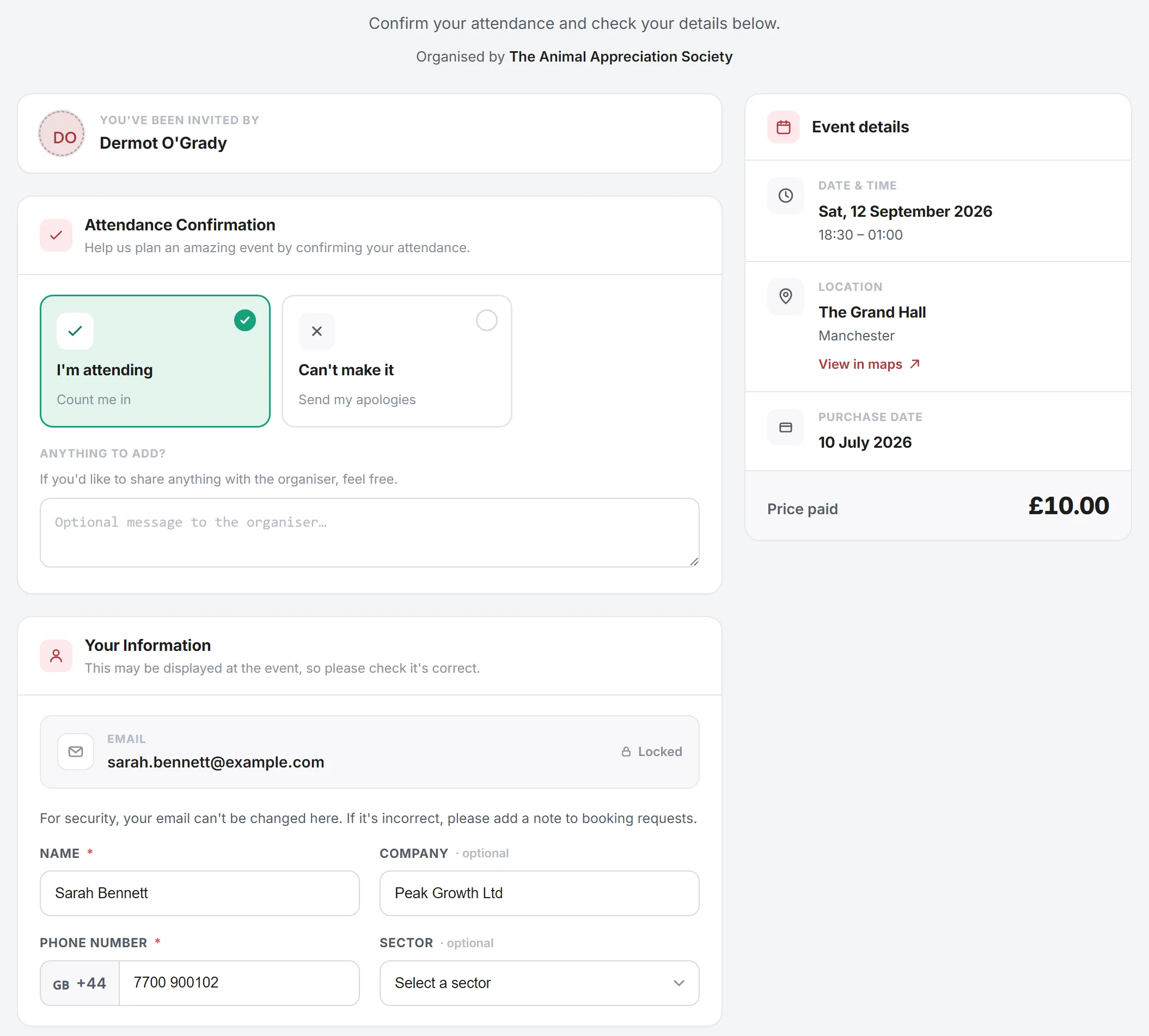
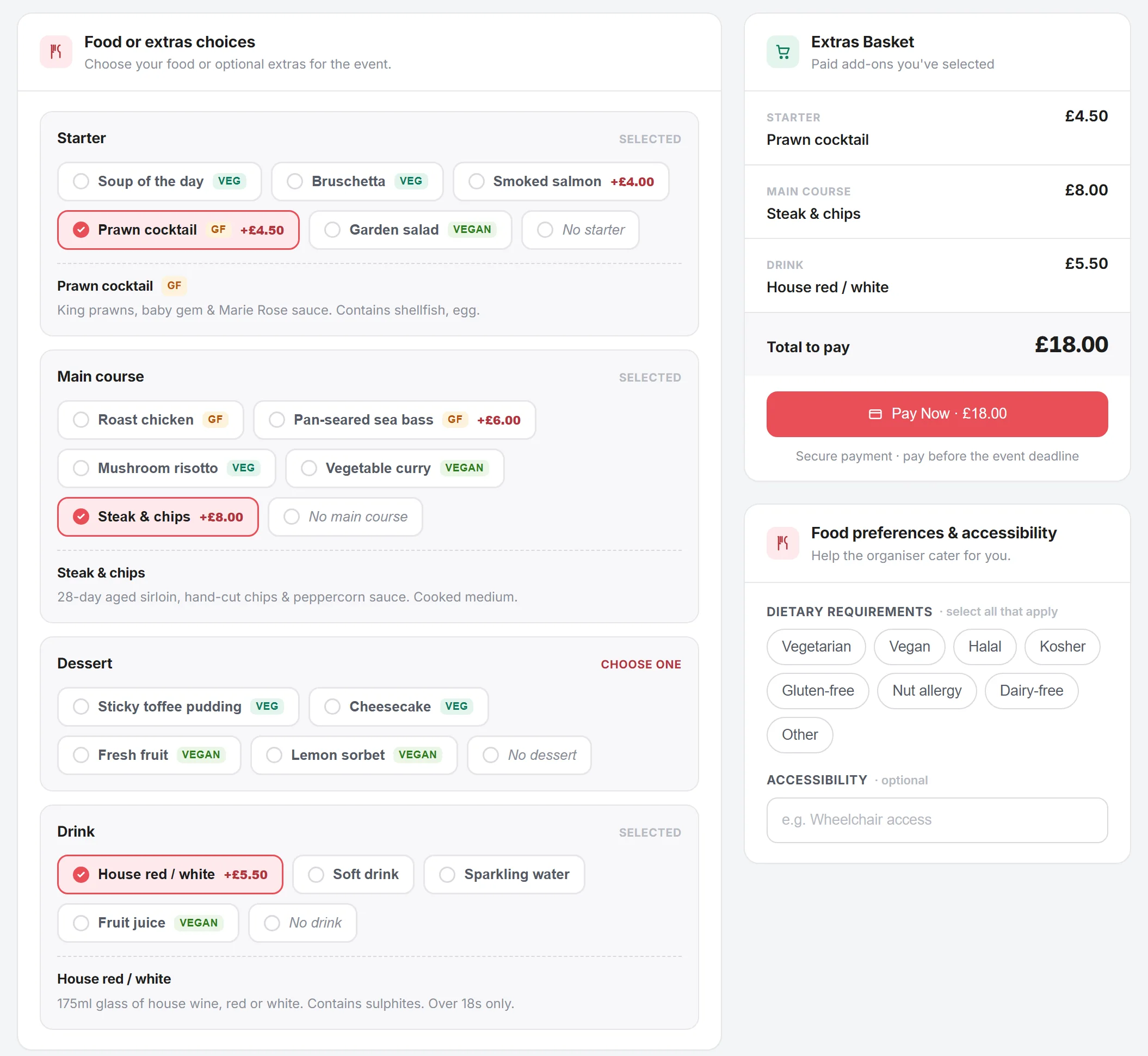
Once the booker names them, every guest gets their own link. They confirm they are coming, pick a course at a time, declare what they cannot eat and buy their own wine. The booker never relays a single order.
They confirm, and correct their own details. The email is locked to the invitation, so a guest cannot quietly become someone else.
One course at a time, allergens shown. Paid upgrades land in the guest's own basket and they settle it themselves, so the booker is not collecting money for wine.
Back office
Seat a hundred people in one click
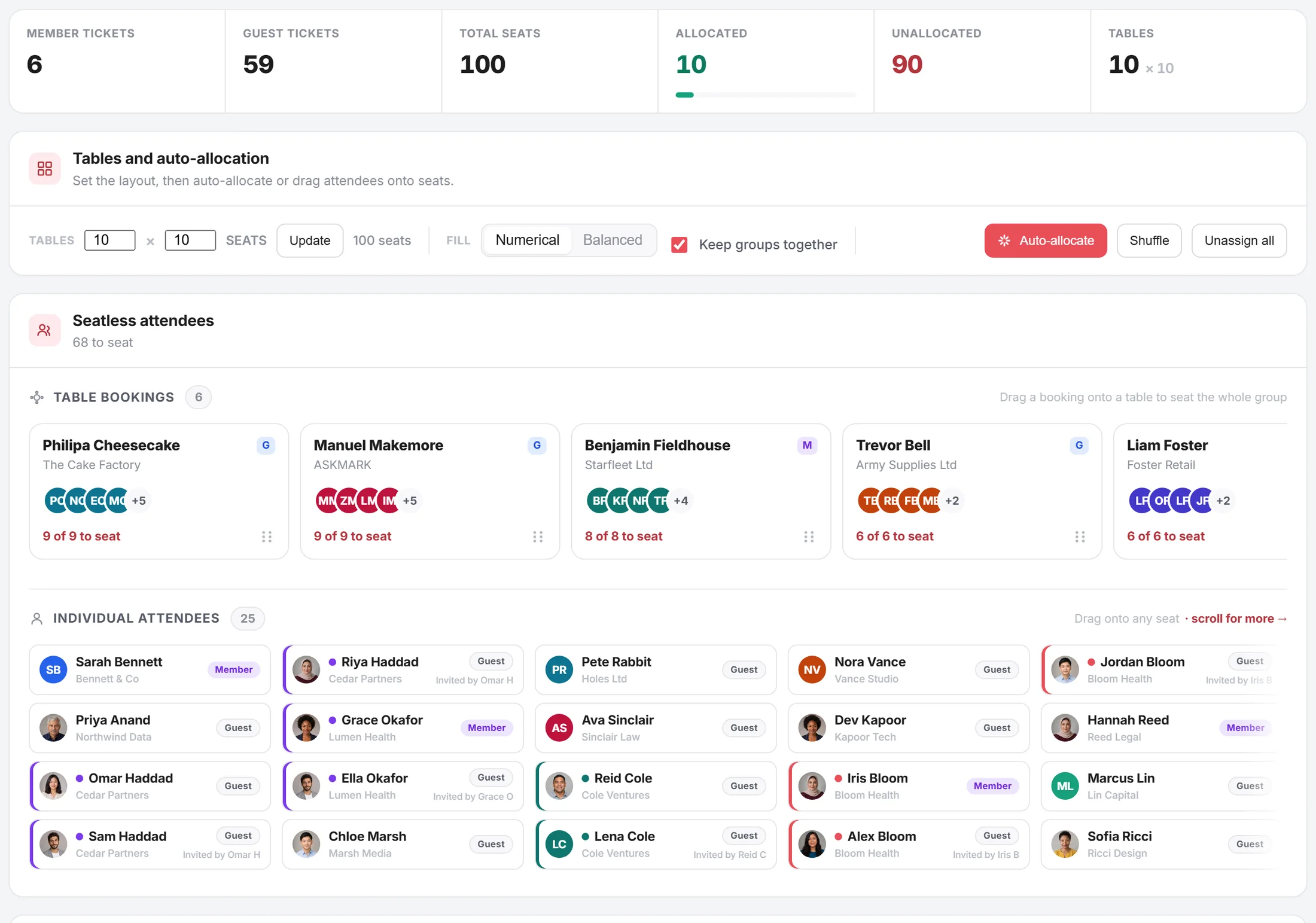
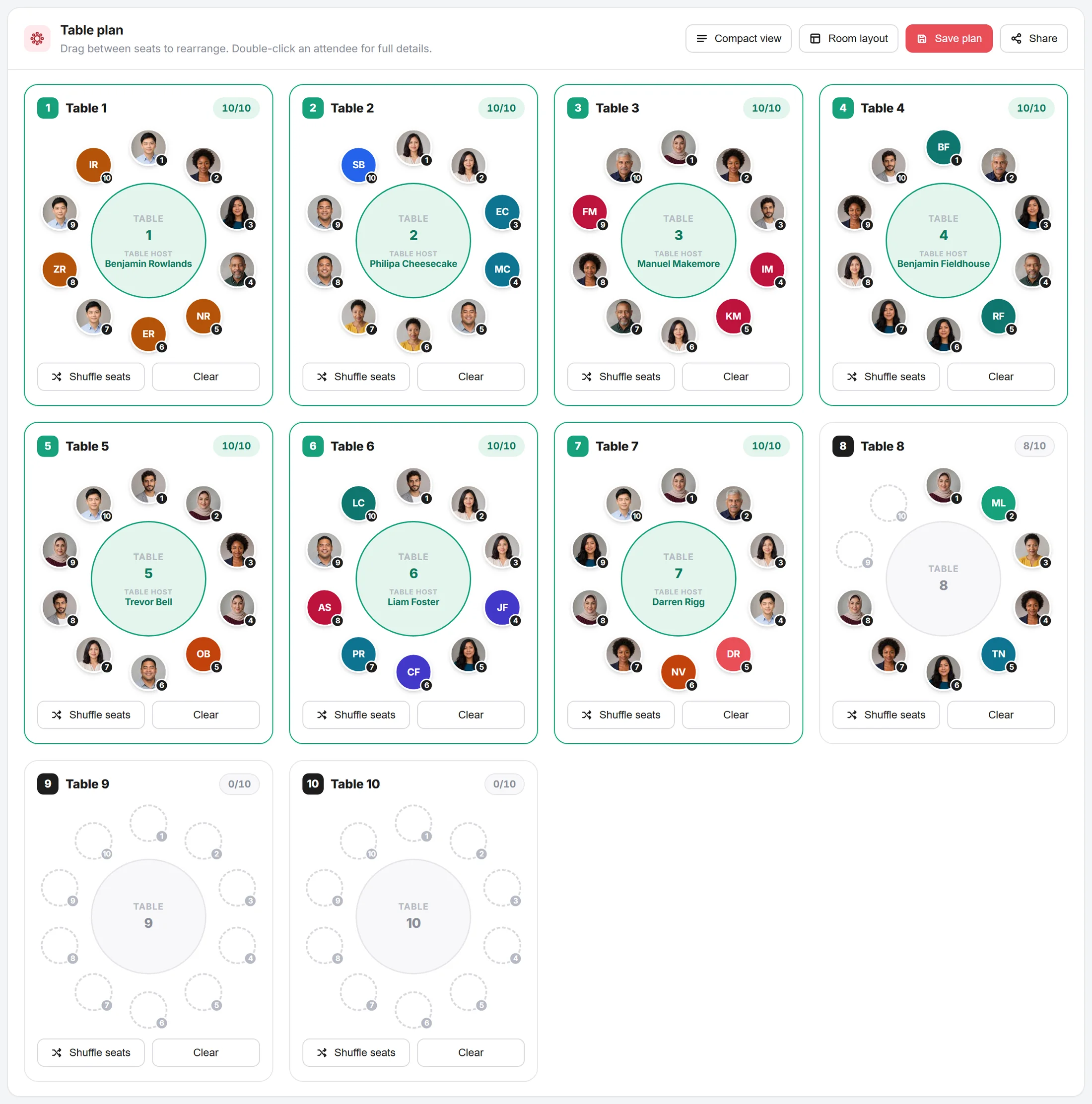
This is the organiser's side of the same event. Set the table count and size, pick how to fill them, and every booking and individual gets placed. Then drag anyone the rules got wrong.
Everything waiting for a seat. Table bookings that have to stay together, individuals who do not, and a fill mode that knows the difference.
One click later. Each booking lands on its own table with its host named, individuals fill in around them, and the spare tables stay empty rather than being padded out.
Share to venue
Send the venue a link, not a spreadsheet
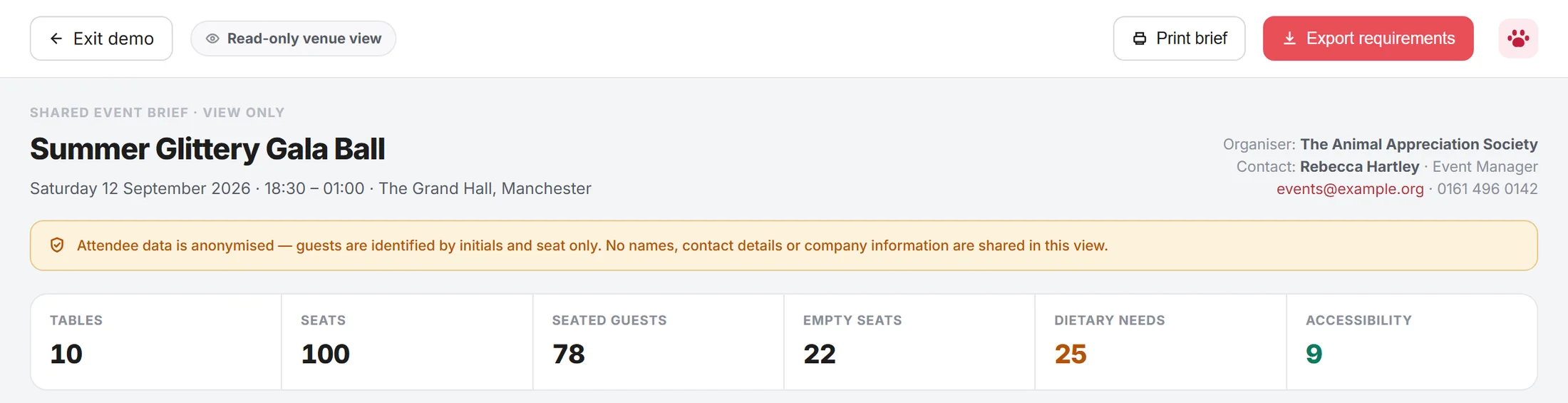
A read-only brief the venue and the kitchen open in a browser. Guests are identified by initials and seat number only, so no names, contact details or company information leave your organisation.
The numbers up front. Covers, empty seats, dietary and access counts, plus who to call on the night.
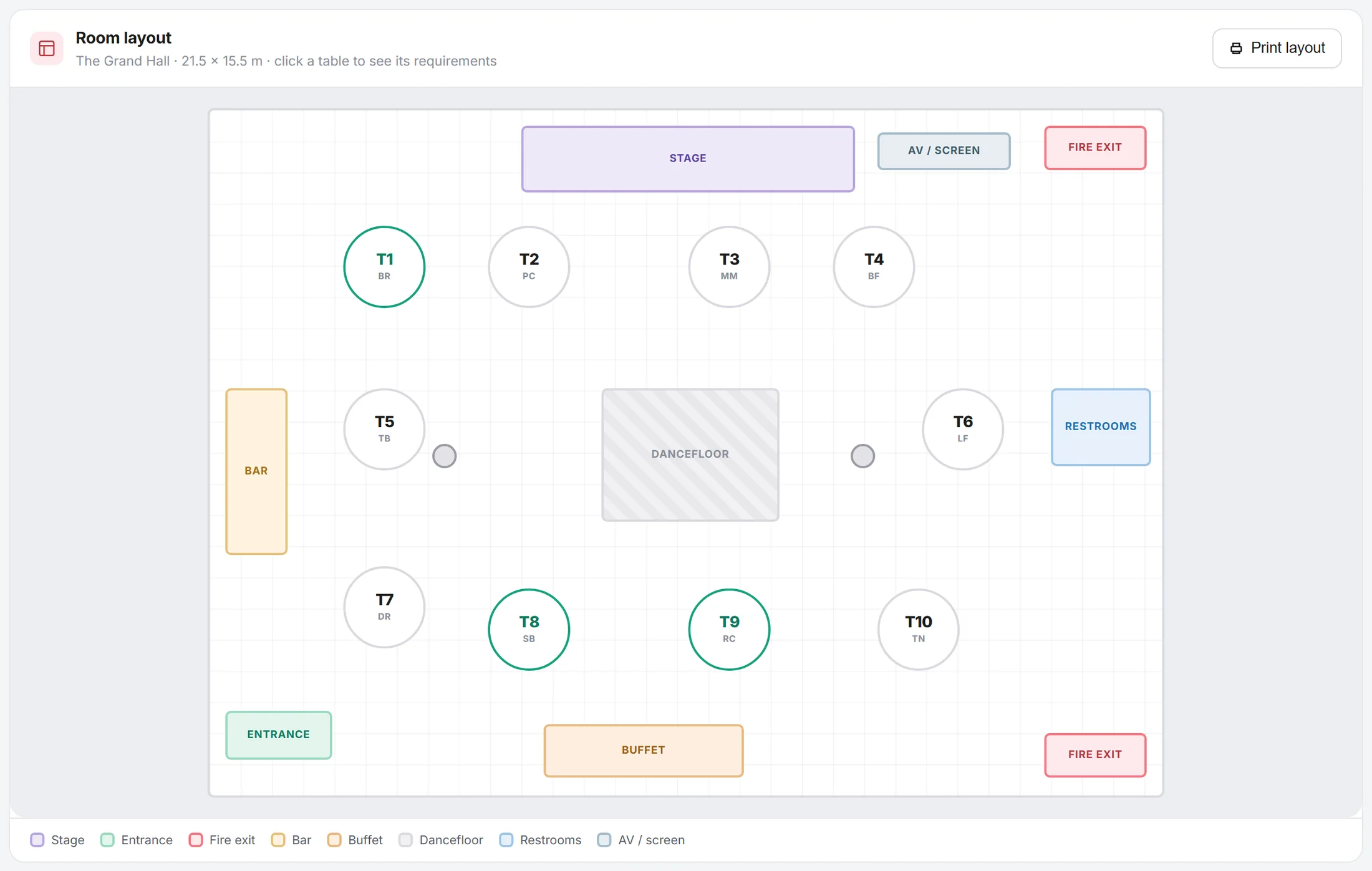
Room layout. The Grand Hall at 21.5 × 15.5 m. Clicking any table opens its requirements.
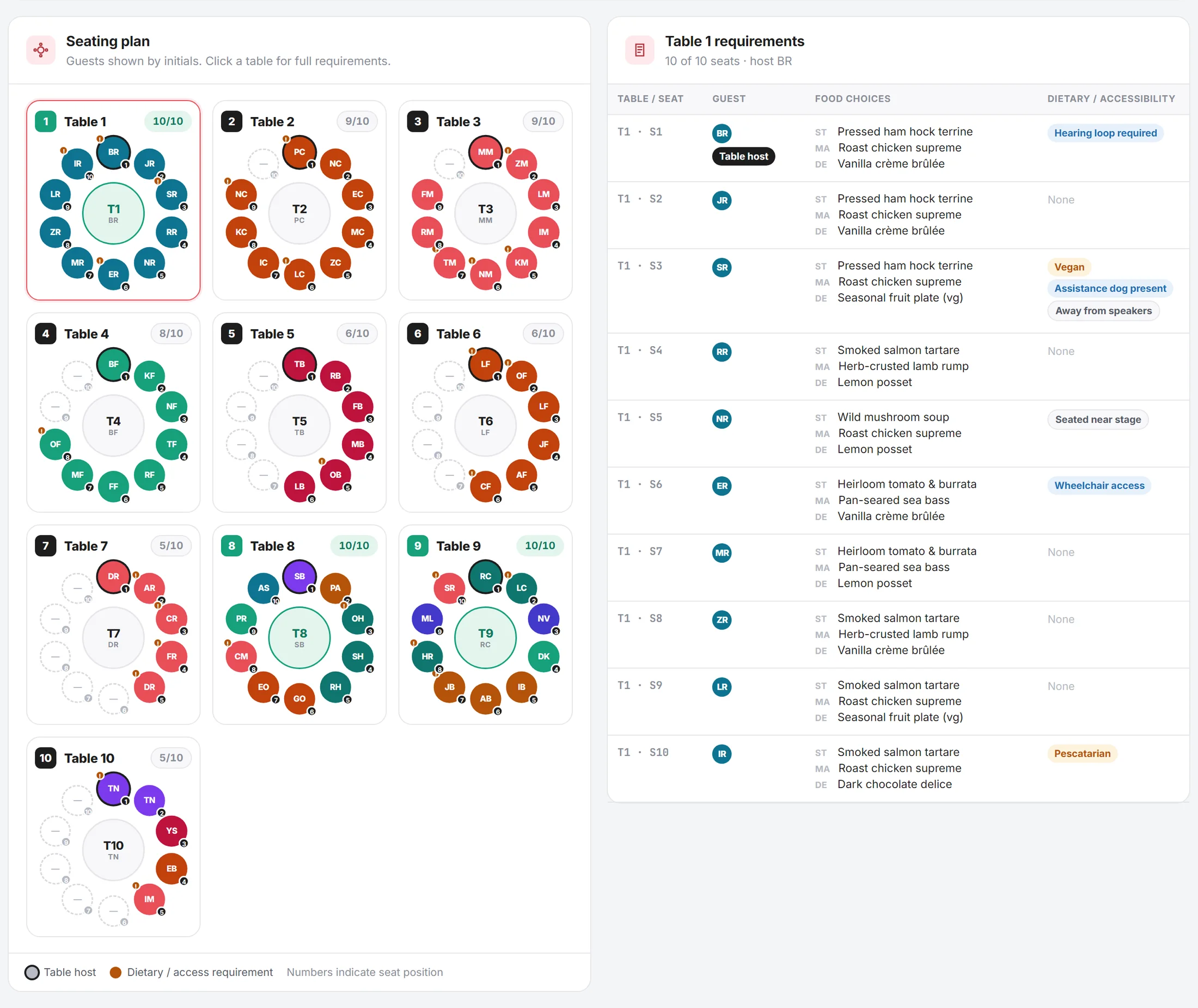
Requirements, seat by seat. Click any table and its seats open beside the plan: every course, dietary flag and access need, keyed to a seat number rather than a name.
In that one link
One link, live data, no email chasing
Every one of these updates the moment a guest changes their mind, so nobody works from the version you emailed a fortnight ago.
Table plan with covers
Every table, who is on it, and how many covers, so the venue can set the room from one sheet.
Course counts per table
How many of each dish goes to each table, so plates leave the kitchen in the right direction.
Allergy sheet by seat
Which seat at which table needs the separate service, named, so nothing depends on someone remembering.
Access requirements
Wheelchair spaces, step-free routes and hearing loop seats marked on the plan rather than mentioned in an email.
Room layout requirements
Room layout requirements and table positioning. All live, all up to date, no more chasing on email.
Refunds and swaps
Cancel a guest or a single extra. The seat frees up, the counts drop, and the venue pack redraws itself.
Questions
Tabled events, answered
Does the lead booker have to collect everyone's food choices?
No. That is the point of the flow. The booker supplies names and email addresses, and we ask each guest directly. Guests who haven't answered get reminded automatically, and the booker can see who is outstanding without chasing them personally.
Can someone buy a table before they know who is coming?
Yes. Seats can be bought and held unnamed, then named later. The seats stay reserved on the plan and count as covers, so the venue's numbers are right even before the guest list is complete.
What if a guest drops out the week of the event?
Cancel the guest or swap in a replacement. The seat is freed, the course counts drop, the allergy sheet updates, and the venue pack redraws. A replacement gets their own ticket and their own menu checkout.
How does the seating handle a group of fourteen when tables seat ten?
You tell it what to do. The usual rule is to split across two adjacent tables so the group stays together, and Events Builder picks a pair of tables next to each other rather than scattering people. You can also force a specific split.
Can I charge for extras like arrival drinks or a raffle bundle?
Yes. Extras are priced per item and paid for in the guest's own checkout, so the person who wants the champagne is the person who pays for it. Counts come through on the venue pack.
Does the venue need an account?
No. They open a read-only link in a browser. Attendee data is anonymised in that view, so the kitchen sees courses, dietaries and access needs against a seat number rather than a guest's name and company.
Can we run a silent auction or raffle alongside the dinner?
Extras and add-ons cover paid items sold at checkout, such as raffle bundles and upgrades. For anything beyond that, ask on a demo and we'll tell you honestly whether it fits today.